
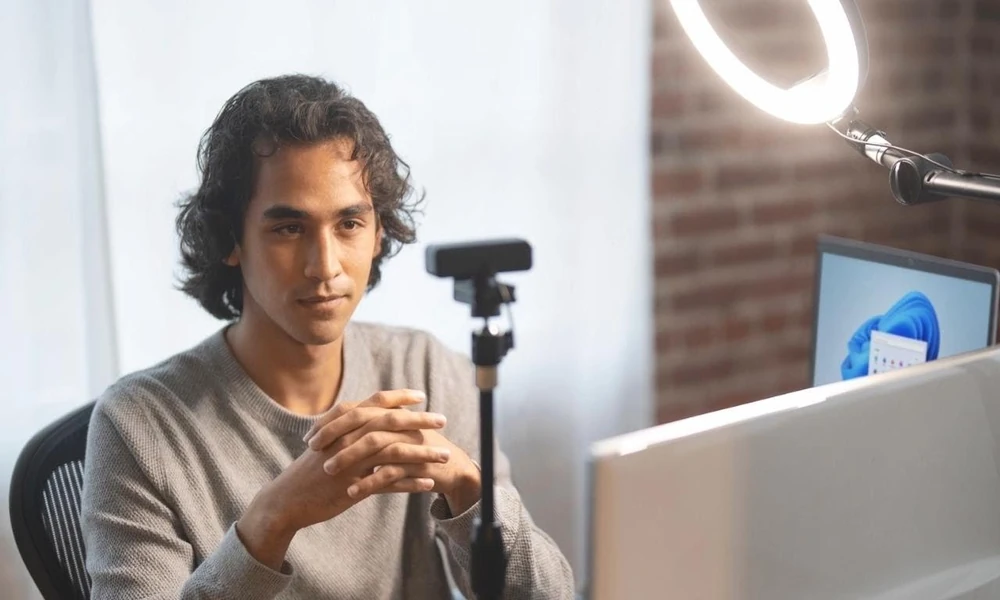
Video calls have become an important part of modern workplaces. From client discussions and team meetings to job interviews and business presentations, people regularly communicate through online platforms. Making a positive impression during these interactions requires more than having a good internet connection. Your appearance, surroundings, and communication habits all contribute to how others perceive you. A few simple adjustments can help you present yourself confidently during virtual meetings.
Whether you are preparing for Zoom calls with international clients or catching up with remote colleagues, taking a few minutes to optimize your setup can significantly elevate your virtual presence. Small technical and visual details often shape how attentive and reliable you appear on screen, especially when face-to-face interaction is limited. Focusing on key elements like attire, lighting, and camera alignment ensures your message takes center stage without unnecessary distractions.
Choose Suitable Clothing
Your outfit can influence the impression you create during a video meeting. Select clean, well-fitted clothes that match the purpose of the discussion. Formal shirts, blouses, and smart casual outfits are suitable for most professional conversations.
Avoid clothing with distracting patterns, large graphics, or overly bright colours. Choose shades that stand out against your background without appearing too flashy. Even when the meeting takes place at home, dressing appropriately can help you maintain a professional mindset.
Set Up Proper Lighting
Good lighting makes your face easier to see and improves the overall appearance of your video. Sitting near a window can provide natural illumination during daytime meetings.
If natural light is unavailable, use a desk lamp or ring light positioned in front of you. Avoid placing bright lights directly behind your chair, as this can make your face appear dark. Adjust the lighting until your facial features are clearly visible.
Keep Your Background Neat
The area visible behind you can influence how professional your video setup appears. Choose a quiet location with a clean and organised background. A plain wall, bookshelf, or tidy office corner can work well.
Remove unnecessary objects that may distract other participants. If your surroundings are unsuitable, consider using a virtual background. However, make sure it looks natural and does not interfere with your appearance on screen.
Position Your Camera Correctly
Camera placement affects how you appear during a virtual meeting. Place your camera in line with your eyes so your face appears at a comfortable and balanced angle on screen. Avoid placing the device too close to your face or pointing it upwards from a low position.
Position yourself in the centre of the frame, leaving a little space above your head. Check your camera preview before joining to make sure your face and upper body are properly visible.
Maintain Professional Body Language
Your expressions and movements communicate as much as your words. Sit upright, maintain a relaxed posture, and look towards the camera when speaking. This creates a stronger sense of engagement with other participants.
Avoid constantly checking your phone, looking away, or moving around unnecessarily. Listen carefully when others are talking and respond politely. A natural smile and attentive expression can also make conversations more comfortable.
Check Your Audio and Internet Connection
Clear communication depends on reliable audio and video. Test your microphone, speakers, and internet connection before important meetings. Use headphones if background noise is an issue, and keep your microphone muted when you are not speaking.

