
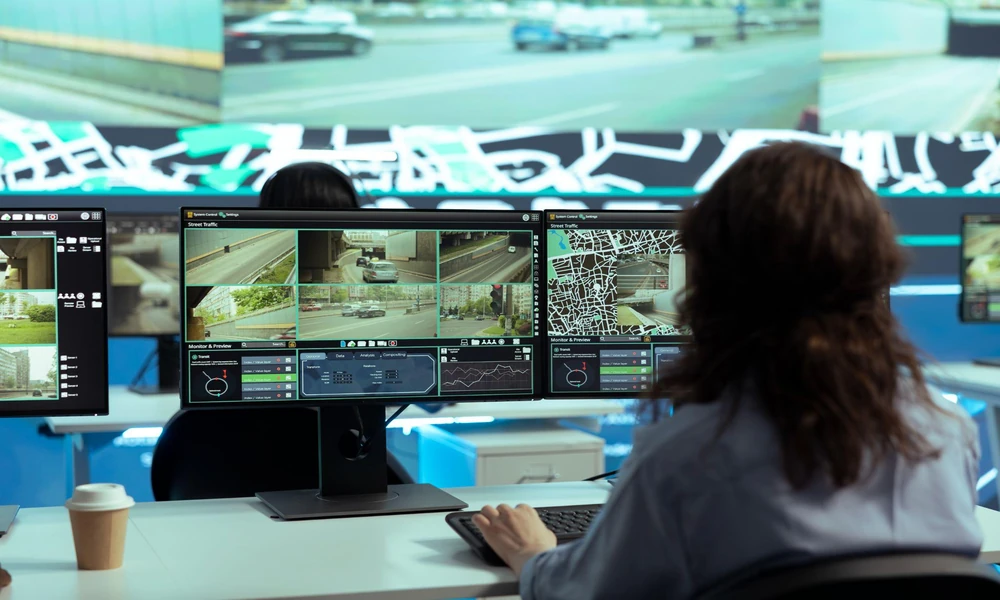
A surveillance system can help property owners review activity around entrances, shared spaces, loading areas and other important locations. However, installing cameras does not automatically provide complete visibility or effective incident records. The result depends on camera placement, image quality, recording arrangements and how staff access and manage footage. When evaluating a CCTV system in Singapore, businesses and property managers should assess the features against the risks and operational requirements of the site.
1. Match Camera Coverage to Property Layout
Start by identifying the areas that need monitoring and the purpose of each camera. An entrance camera may need to capture faces or distinguish visitors, while a camera covering a loading bay may need a wider view of vehicle movement and deliveries. These different tasks can require different camera positions and specifications.
Walk through the site and identify entrances, exits, corridors, car parks, storage areas and other locations where incidents may occur. Consider obstacles such as pillars, signs, glass reflections and changing light conditions. A camera may provide a clear view during the day but perform poorly at night or when headlights shine directly towards it.
Avoid assuming that a larger number of cameras guarantees better coverage. Poor placement can create overlapping views in one area while leaving important blind spots elsewhere. A site assessment should establish which areas require close detail, which need broad coverage and whether additional lighting or camera adjustments are necessary.
2. Compare Image Quality and Low-Light Performance
Image resolution affects how much detail a recording can show, but it is not the only factor that determines usefulness. Lens quality, field of view, lighting, camera position, compression and movement can all affect the resulting image. A high-resolution camera placed too far from the subject may still fail to capture the detail required.
Ask what each camera is expected to identify. If the priority is recognising faces at an entrance, the camera should be positioned and configured for that purpose. If the goal is to observe general movement across a large area, a wider field of view may be more appropriate.
Check performance under realistic conditions. Some areas may have poor lighting, strong backlighting or abrupt changes between bright and dark spaces. Night-vision or low-light features may help, but their effectiveness depends on the environment and installation. Request a demonstration or sample footage where possible, and judge the image based on the actual task rather than the specification sheet alone.
3. Establish Recording Capacity and Retention
A surveillance system needs enough recording capacity to retain footage for the period required by the property’s operational needs and applicable rules. Storage requirements depend on the number of cameras, recording resolution, frame rate, compression settings, motion activity and whether the system records continuously or only when triggered.
Ask the installer to explain the proposed storage capacity and how long footage is expected to remain available under the chosen settings. Do not rely on a generic retention estimate without checking the configuration. If storage fills up, many systems overwrite older recordings, which may remove footage before staff realise they need it.
Consider how important recordings will be retrieved and preserved after an incident. Staff should know who can search footage, export relevant clips and document the handling of recordings. If the system uses network storage or cloud services, confirm how data is transferred, protected and recovered if equipment or connectivity fails.
4. Review Remote Access and User Permissions
Remote viewing can help authorised staff check camera feeds when they are away from the premises. Before enabling it, consider who needs access, which devices they will use and how accounts will be secured. A convenient application is not enough if access permissions are unclear or accounts remain active after staff leave.
Ask whether the system supports individual user accounts, permission levels and appropriate authentication controls. Separate accounts make it easier to manage access and review who has permission to view or export footage. Shared logins can complicate accountability and make it harder to remove access for one person without affecting others.
Review the network requirements as well. Remote access may depend on reliable connectivity, compatible devices and correct configuration. The installer should explain how the system will be updated and how users can report access problems. Staff should also understand the limits of remote monitoring: a camera feed may help them observe an event, but it does not automatically provide a response team or emergency service.
5. Assess Integration, Privacy and Ongoing Support
A wider security system in Singapore may combine video surveillance with access control, alarms or intercoms. Integration can improve coordination, such as helping authorised staff review footage associated with a particular entrance or incident. However, compatibility should be confirmed before assuming that separate products will work together.
Ask which functions are supported directly, which require additional equipment and whether integration affects the cost or maintenance arrangement. Confirm who will troubleshoot problems that involve more than one component. Clear responsibility matters when a fault could arise from the cameras, network, recorder or access-control equipment.
Privacy also deserves attention. Establish who may view recordings, why footage is collected, how long it is retained and how requests for access are handled. The organisation should review relevant data protection obligations and display appropriate notices where required. Security footage should not be accessible to staff who have no legitimate need to view it.
Finally, ask about warranty coverage, software updates, maintenance visits and repair response times. Cameras exposed to weather or heavy use may need periodic inspection, and recording systems should be checked to ensure that footage is actually being saved.
Feature Comparison Table
| Feature | What to assess | Why it matters |
| Coverage | Camera position, viewing angle and blind spots | Determines which activities can be observed |
| Image quality | Resolution, lighting and intended identification task | Affects the usefulness of recorded footage |
| Recording | Storage capacity, retention and retrieval | Helps preserve footage for later review |
| Remote access | User accounts, permissions and connectivity | Supports controlled access outside the site |
| Integration and support | Compatibility, privacy controls and maintenance | Helps the system remain manageable over time |
Choose for the Actual Security Requirement
Before requesting a quotation, document the areas to monitor, the detail required from recordings and the people who will manage the system. Ask providers to explain how their proposed configuration meets those needs, including limitations and any additional equipment required. Compare the full installation and maintenance scope instead of focusing only on camera prices.
A well-planned security or CCTV system in Singapore should be straightforward for authorised users to operate, maintain and review. Regular checks can reveal camera faults, recording failures or changes in the environment that create new blind spots. Keep a record of maintenance and periodically review whether the system still meets the property’s needs.
Contact VALSYS Technologies to discuss surveillance requirements, review suitable CCTV configurations and plan a system that supports your property’s security objectives.

Uchenna Ani-Okoye is a former IT Manager who now runs his own computer support website https://www.compuchenna.co.uk.

